- Sign in to Microsoft 365:
- Go to https://portal.office.com/ and sign in with your Email Address and current password.
- Access Your Account Settings:
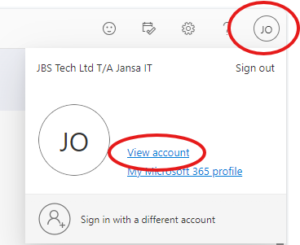
- Click on your profile picture or initials in the top right corner.
- Select “View account”.
- Navigate to Security Settings:
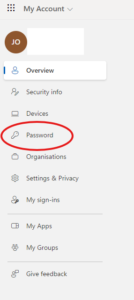
- In the left-hand menu, select “Password”.
- Change Your Password:
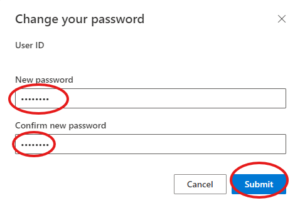
- Enter your new password In the New password and Confirm New password boxes.
- Click “Submit” to save the changes.
Note: if you are unable to sign in you will need to contact support@jansait.com and pass security verification to change your pwd.